This article shows how to select a playing partner in a competition
Open MiScore app on your mobile device.
Press 'Add Club +'
- On Enter Club Name
- Type in and select your Club Name
- Swipe Right to add more clubs
- Select 'Remove Club' to delete a club from your list
Press 'Member Login' and enter your club Membership Number and Password from your login to the club's web site.
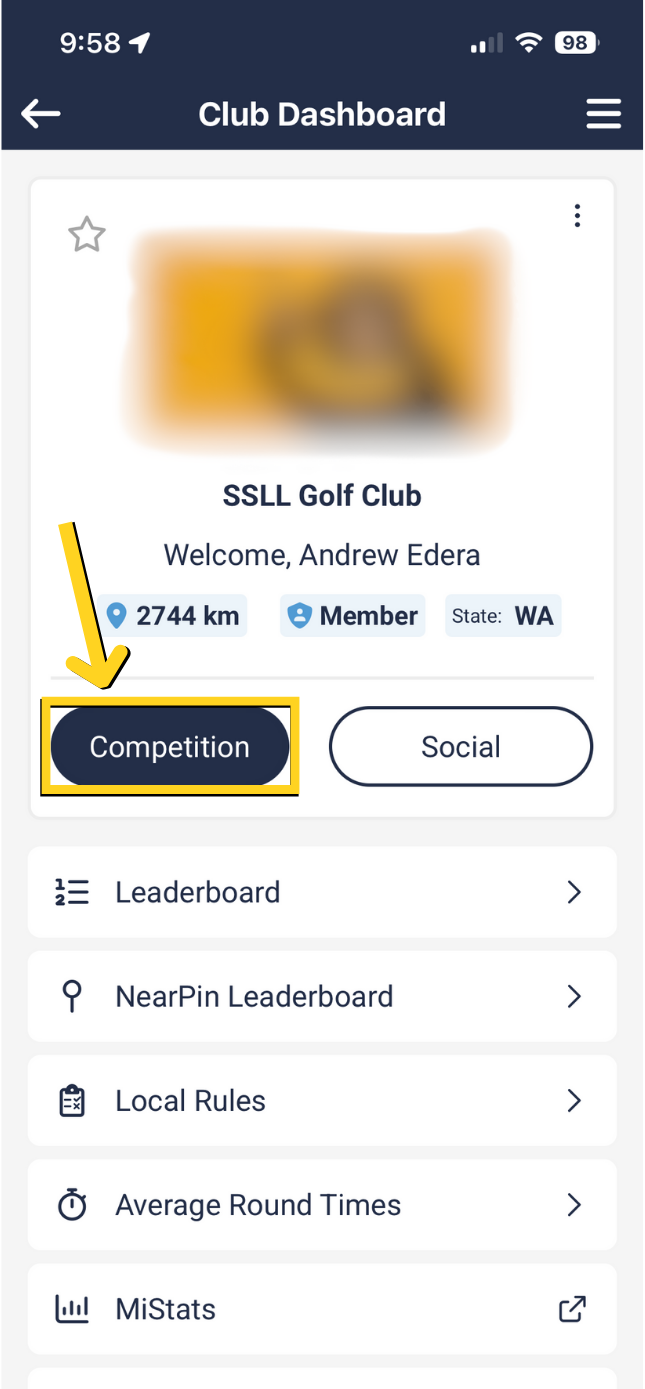
Press 'Competition'.
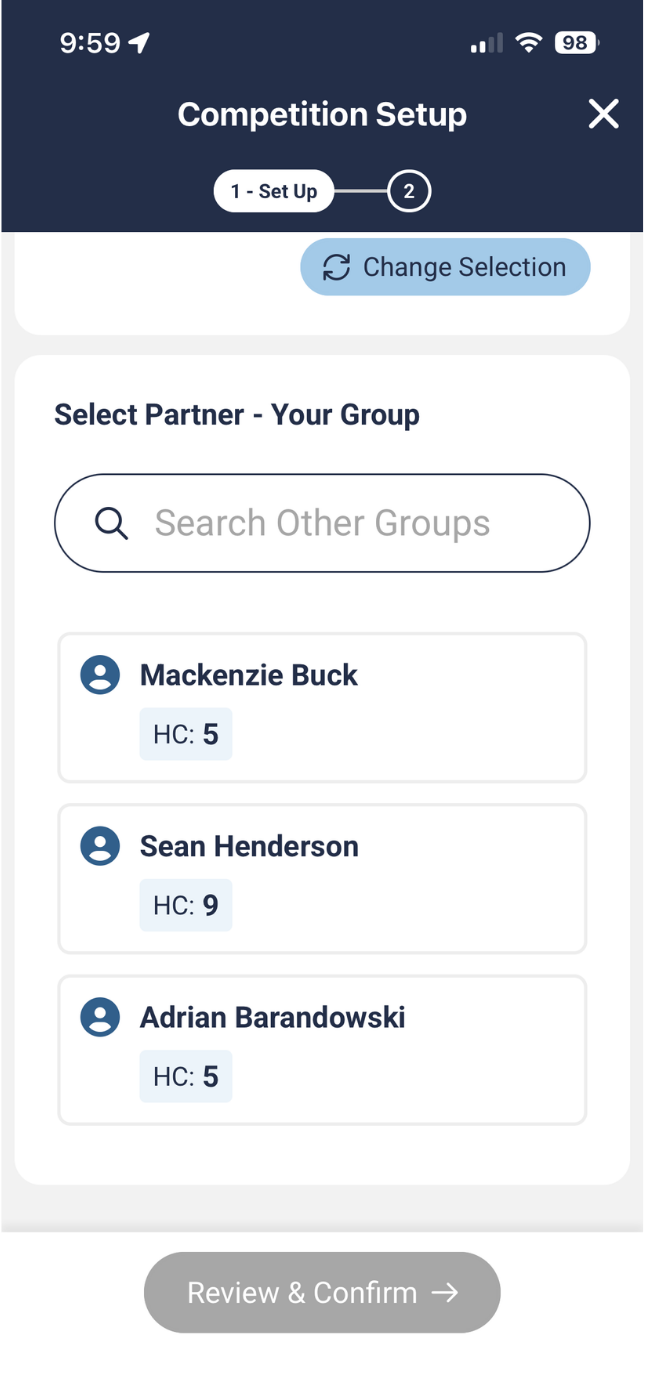
Confirm Starting Hole if different from booking on timesheet then:
- Select a name from your group from timesheet booking or
- Select 'Search Other Groups' to find another player not in your group
- Select 'Review and Confirm' to start the competition
Note: If the starting hole is not correct then it probably is due to the fact the timesheet group name has a reference to a miss matched starting hole. Simply select the correct starting hole or in the score entry interface, swipe across until you get to the correct starting hole.
Was this article helpful?
That’s Great!
Thank you for your feedback
Sorry! We couldn't be helpful
Thank you for your feedback
Feedback sent
We appreciate your effort and will try to fix the article