This article shows how enable the ability to enter putts
Video Guide:
Visual Guide:
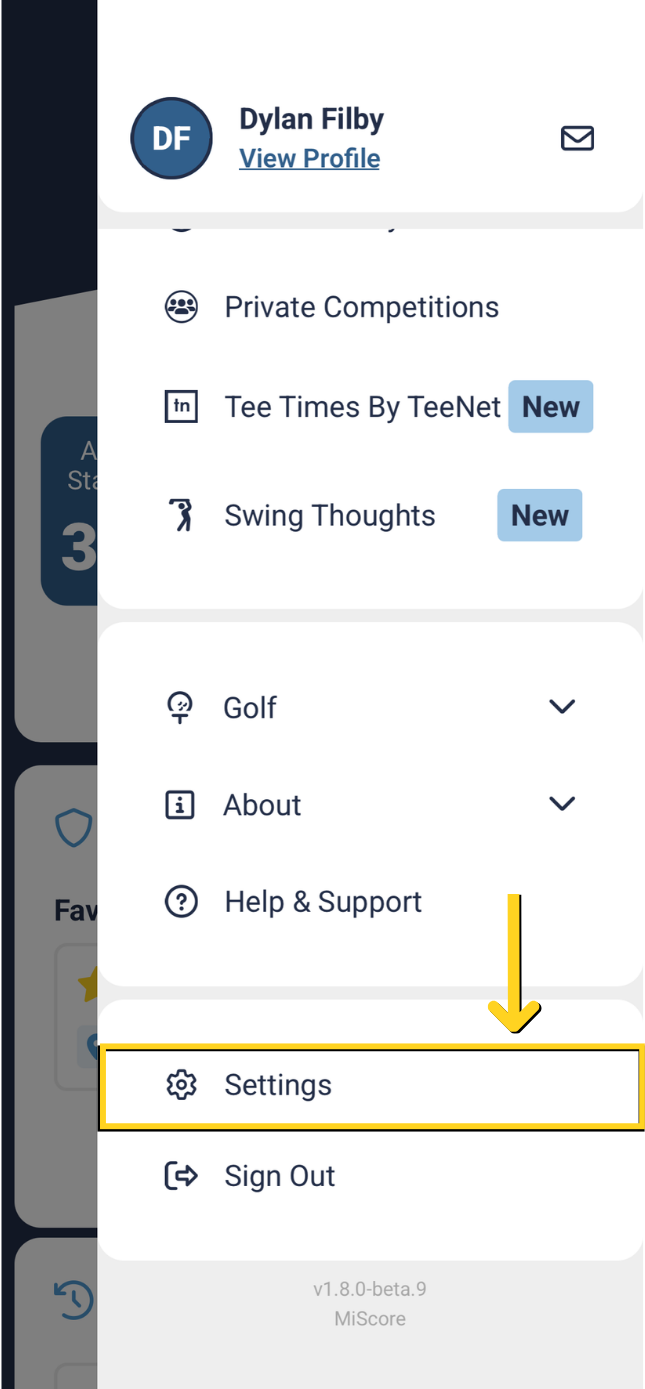
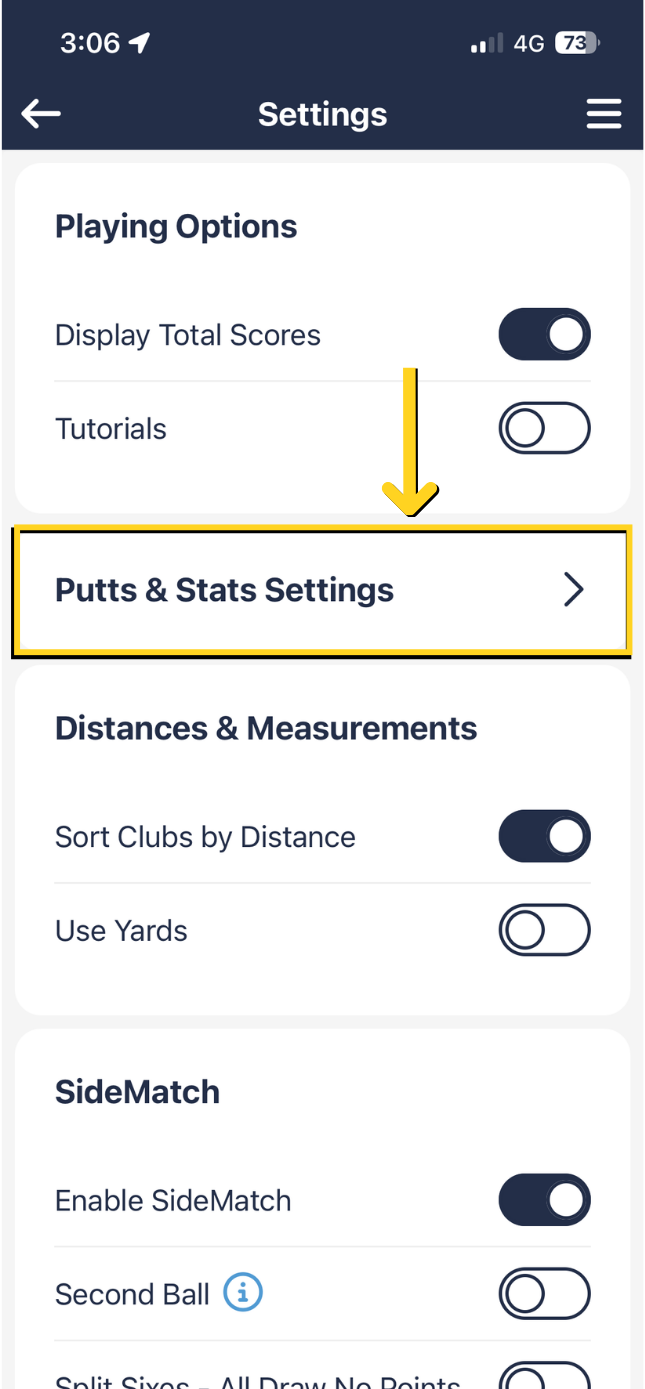
The interface for this is disabled by default however if you wish to store number of putts made by yourself and your playing partner, access the Setting area under Menu tab.
Turn on 'Putts Enabled' property
 |  |
You can select whether you also want to enable tracking putts for your partner, in addition to tracking other stats.
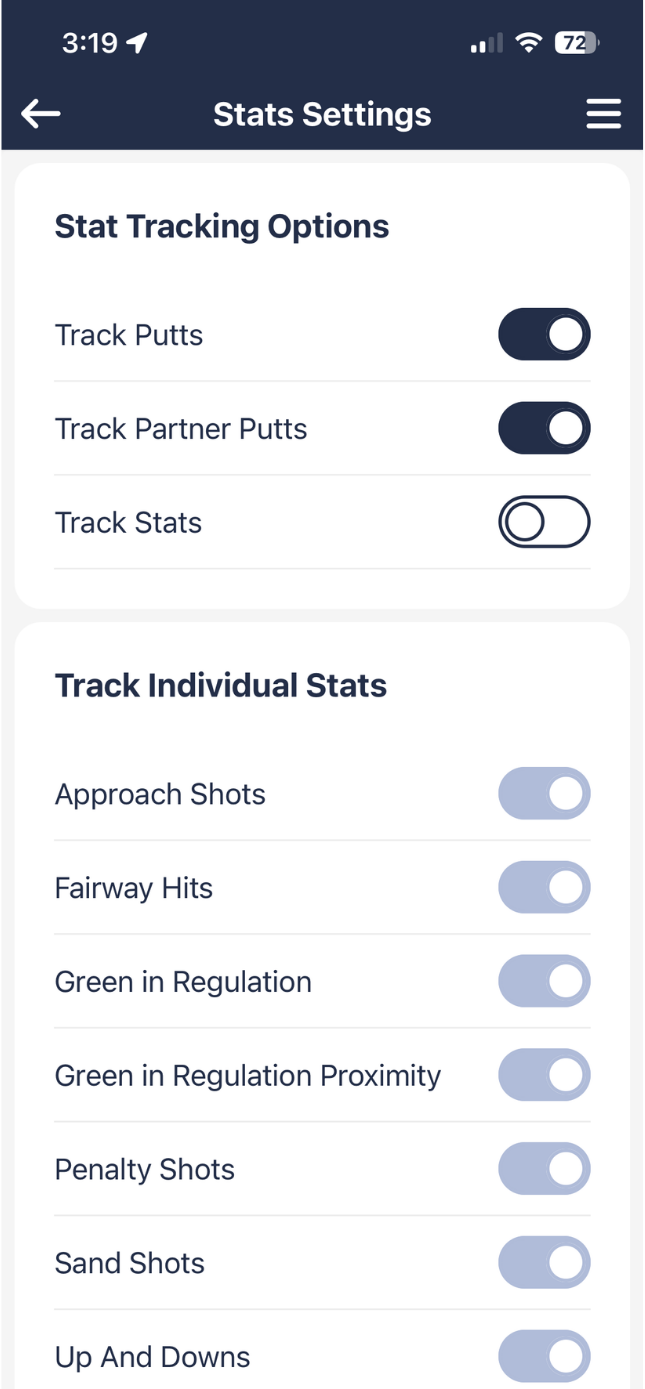
When on, after you enter the gross score on a hole and swipe left, the putts entry interface will be shown.
You can disable this at any time during the round via settings.
This feature is ideal for Monthly Medal Stroke rounds that have in-conjunction putting comps. There is a support export report from the MiClub back end system that the club can generate which collates all the putts per hole to give an order by best putts per round.
MiScore App V1 (original app version)
The interface for this is disabled by default however if you wish to store number of putts made by yourself and your playing partner, access the Setting area under Menu tab.
Turn on 'Putts Enabled' property

When on, after you enter the gross score on a hole and swipe left, the putts entry interface will be shown.
You can disable this at any time during the round via settings.
This feature is ideal for Monthly Medal Stroke rounds that have in-conjunction putting comps. There is a support export report from the MiClub back end system that the club can generate which collates all the putts per hole to give an order by best putts per round.
Was this article helpful?
That’s Great!
Thank you for your feedback
Sorry! We couldn't be helpful
Thank you for your feedback
Feedback sent
We appreciate your effort and will try to fix the article