This article shows you how to add a visitor club to the MiScore App when playing at a club as a guest
- To use the MiScore App as a visitor at another club, you will need to purchase a full MiScore subscription. Club Subscriptions are only valid for scoring at the golf club you are a member of.
- The cost for a MiScore App subscription is $19.49 a year, which will allow you to use the App at any of our partner courses. The full list of these clubs is available here: Registered MiScore Venues
Visual Guide:
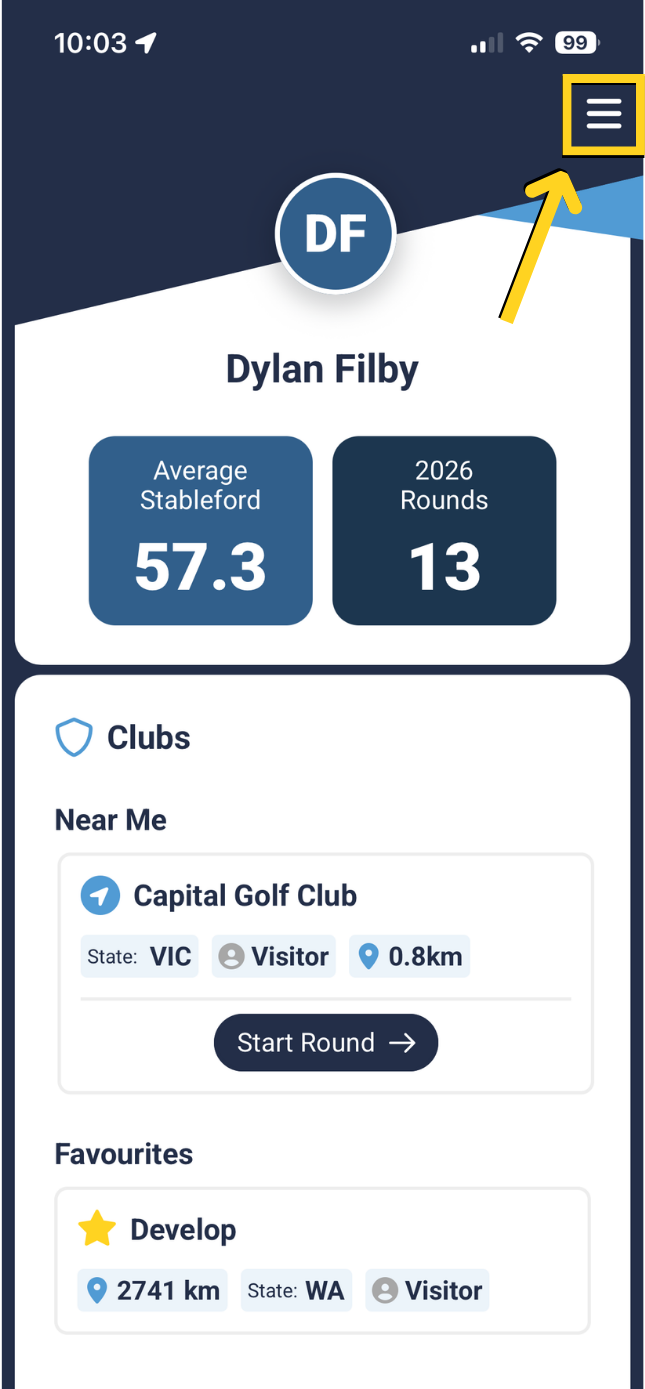
From the home-screen, select the 'Menu' icon in the top right corner.
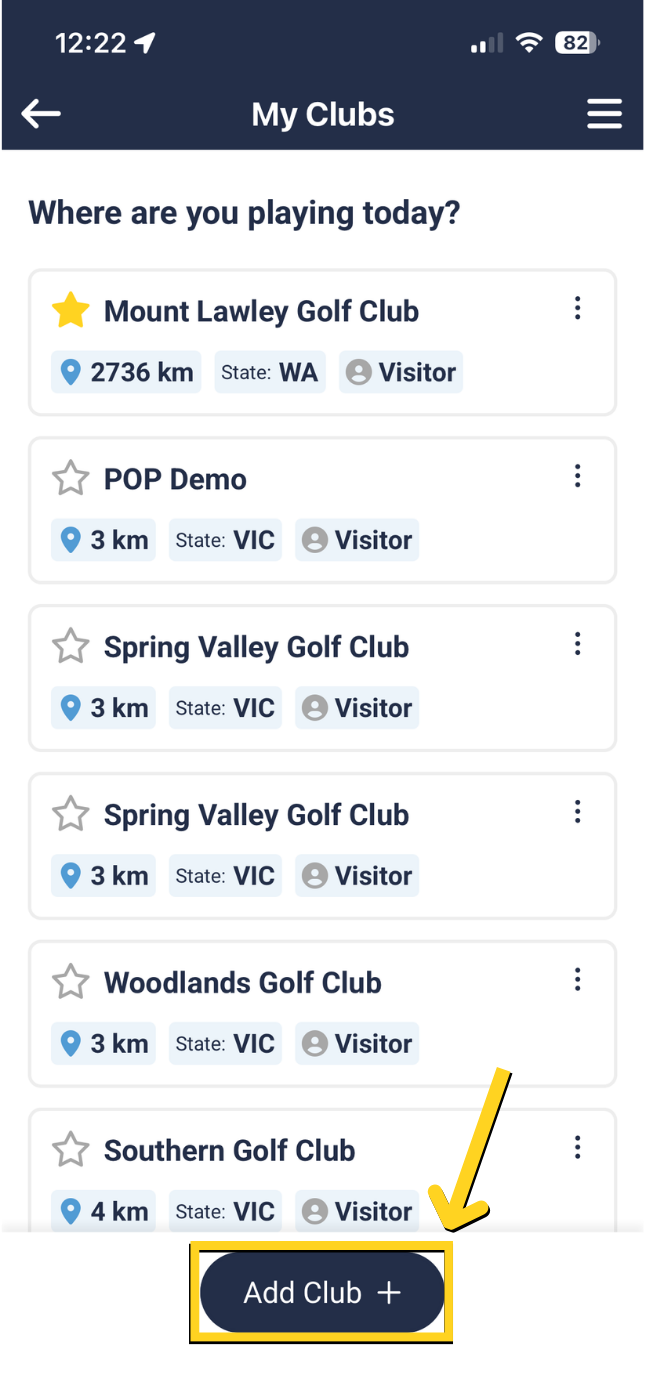
Press 'Add Club +' at the bottom of the page to search for clubs.
 |  |
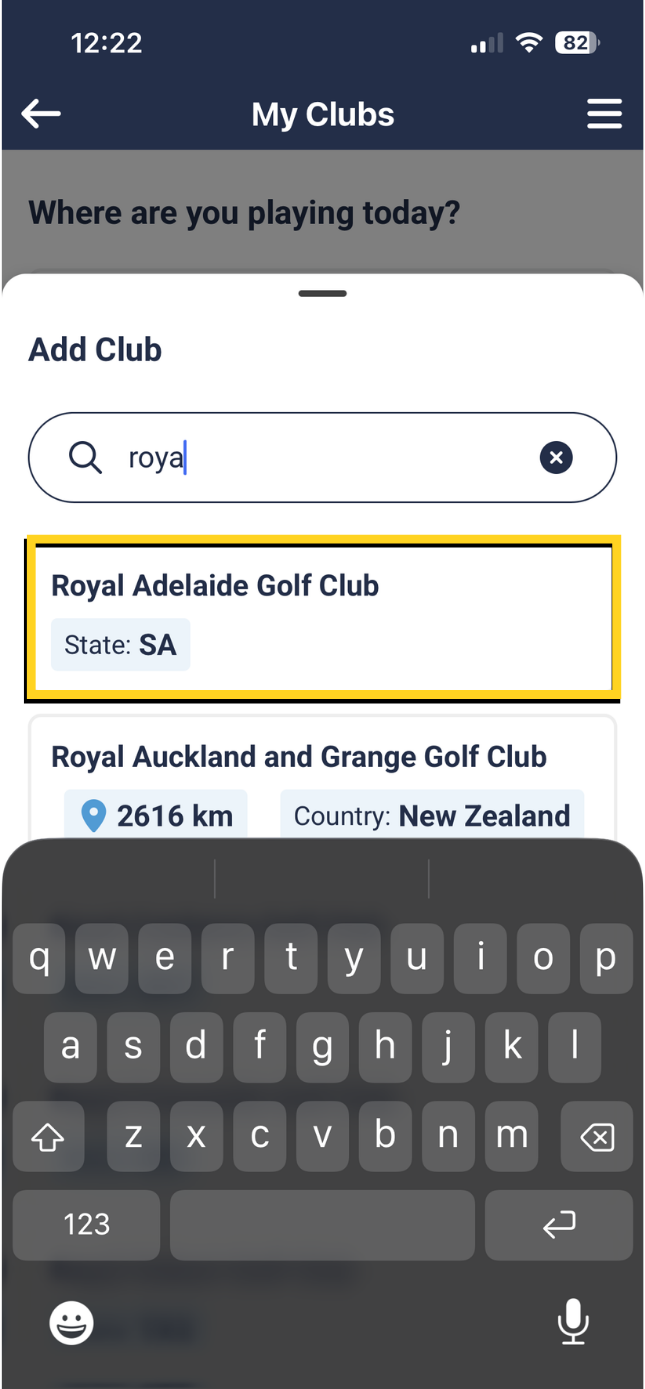
Enter the first few letters of the club you are playing at as a visitor and select club from list below
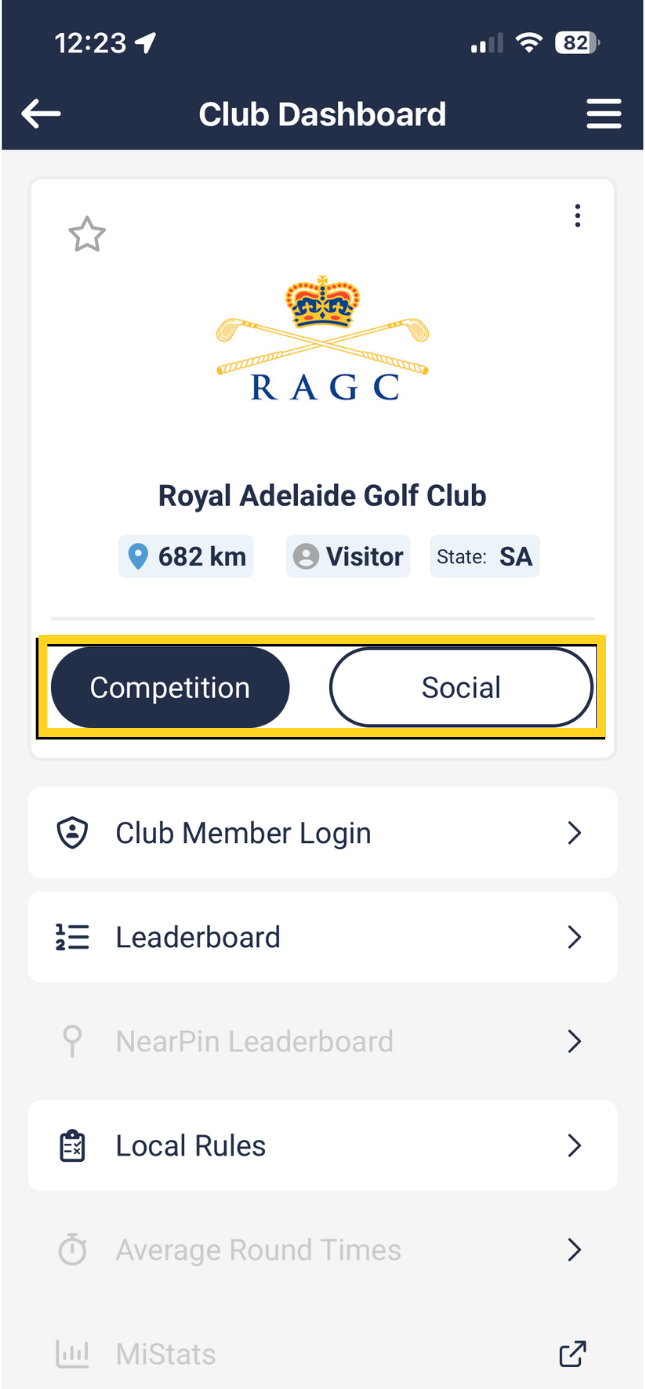
Select 'Competition' if you are registered in a competition
Select 'Social' if you are playing a social round.
*If you are not logged in as a member, you will register as a visitor when selecting 'Competition' or 'Social'.
When you play at a visitor club the MiScore App will do a search of the timesheet for your name to enable you to use the MiScore App in a competition.
It is important to make sure your MiScore profile name in the MiScore App is the same as how your name is at Golf Link.
Please click here to learn how to update your profile name on the MiScore App to match your name at Golf Link.
Was this article helpful?
That’s Great!
Thank you for your feedback
Sorry! We couldn't be helpful
Thank you for your feedback
Feedback sent
We appreciate your effort and will try to fix the article