This article shows how to set a new password if you have forgotten your password to your MiScore Profile
If you are having troubles signing back into the App because you believe the password is incorrect then
try pressing the 'eye' icon to reveal what you password you are entering to ensure it is correct.
This guide will only show you how to reset your password if the account was created via email sign up method. If you have created your profile using the Sign Up with Google, Apple or Facebook method. You will need to reset your password for these profiles with the relevant website.
If you are able to see golf clubs within the app, you are logged into your profile and issues logging into your golf club can be resolved via viewing this article or contacting your golf club.
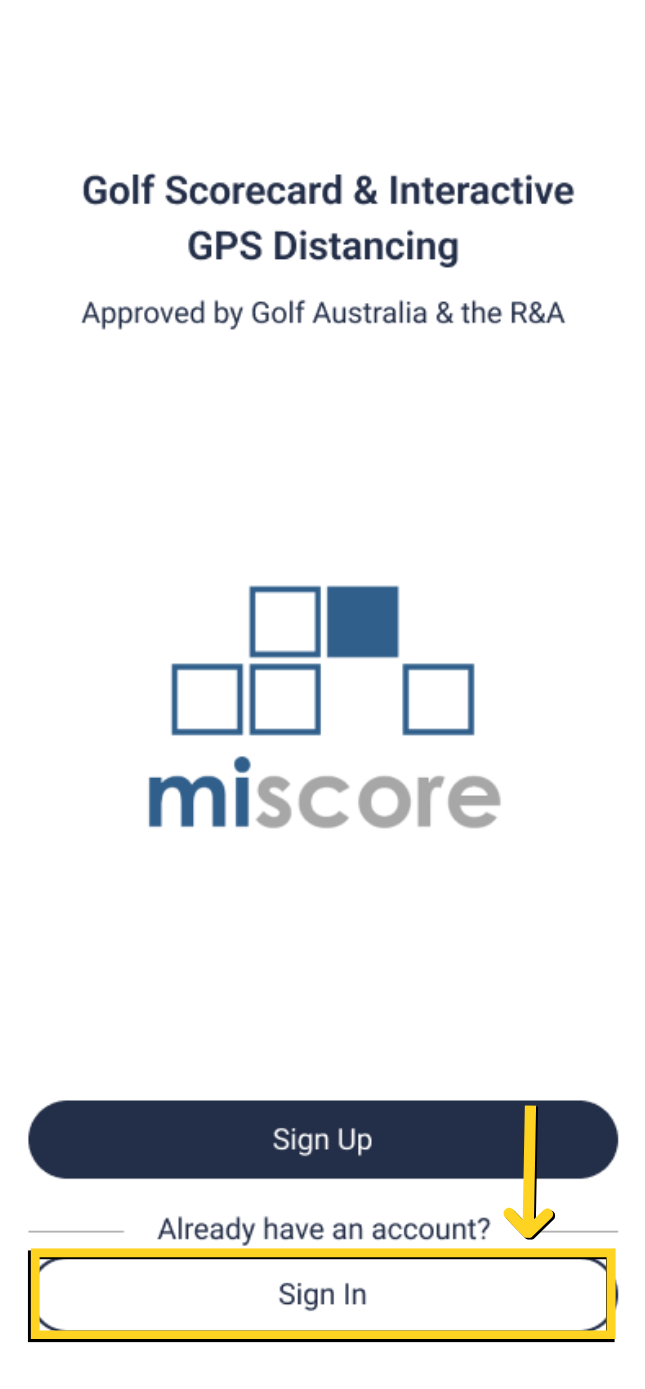
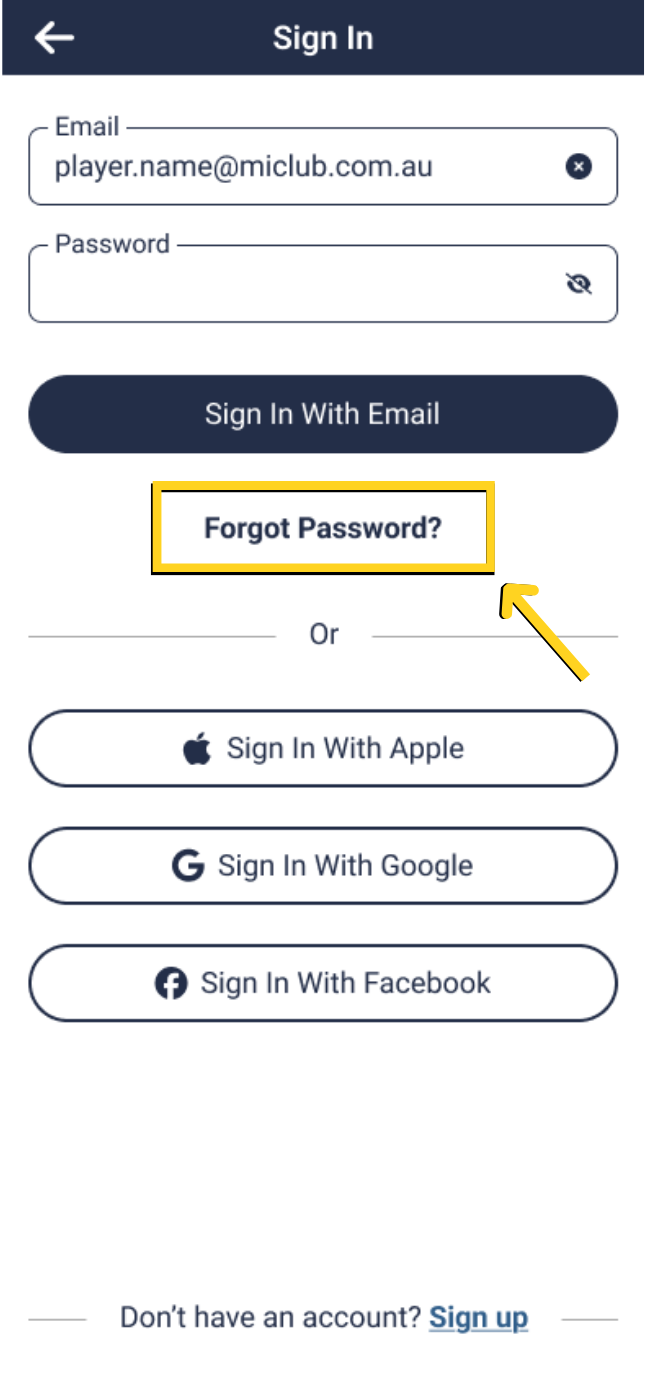
Select 'Log In to MiScore' then 'Forgot Password'
 |  |
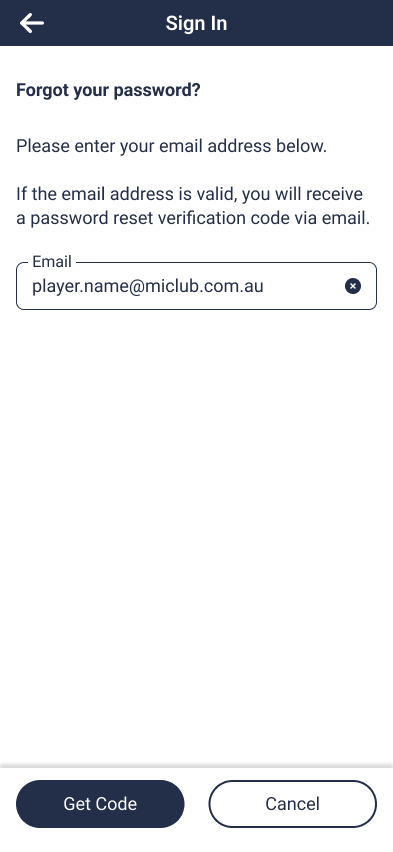
Enter your email and select 'Get Code'
You will be emailed a 6 digit verification code. Please check your inbox and junk mail for the code.
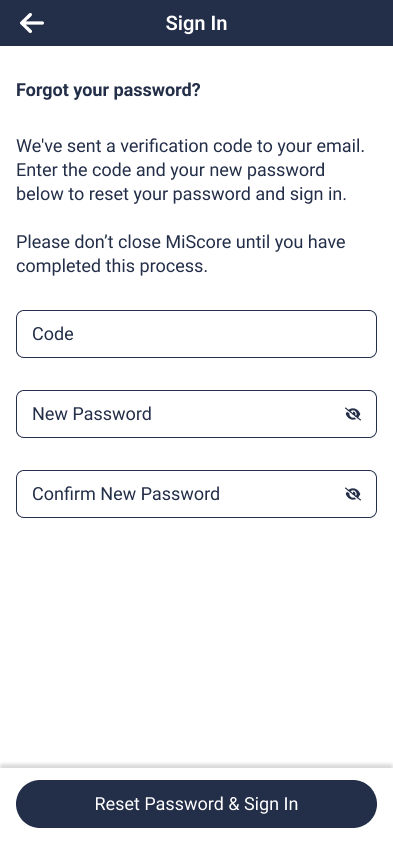
Enter the code into the next screen that appears on the MiScore App and enter your new password below
Select 'Reset Password and Sign In' to save the new password
 |  |
Was this article helpful?
That’s Great!
Thank you for your feedback
Sorry! We couldn't be helpful
Thank you for your feedback
Feedback sent
We appreciate your effort and will try to fix the article