From 30th June 2022, MiScore App will include a 'Delete User' request function inline with the Apple Data Collection Guidelines >
https://developer.apple.com/app-store/review/guidelines/#5.1.1
If you no longer want to use MiScore app and wish to have your user account details removed from MiClub database along with any score history, then follow these steps:
Login to MiScore App
Access menu tab in the top right then select 'View Profile'
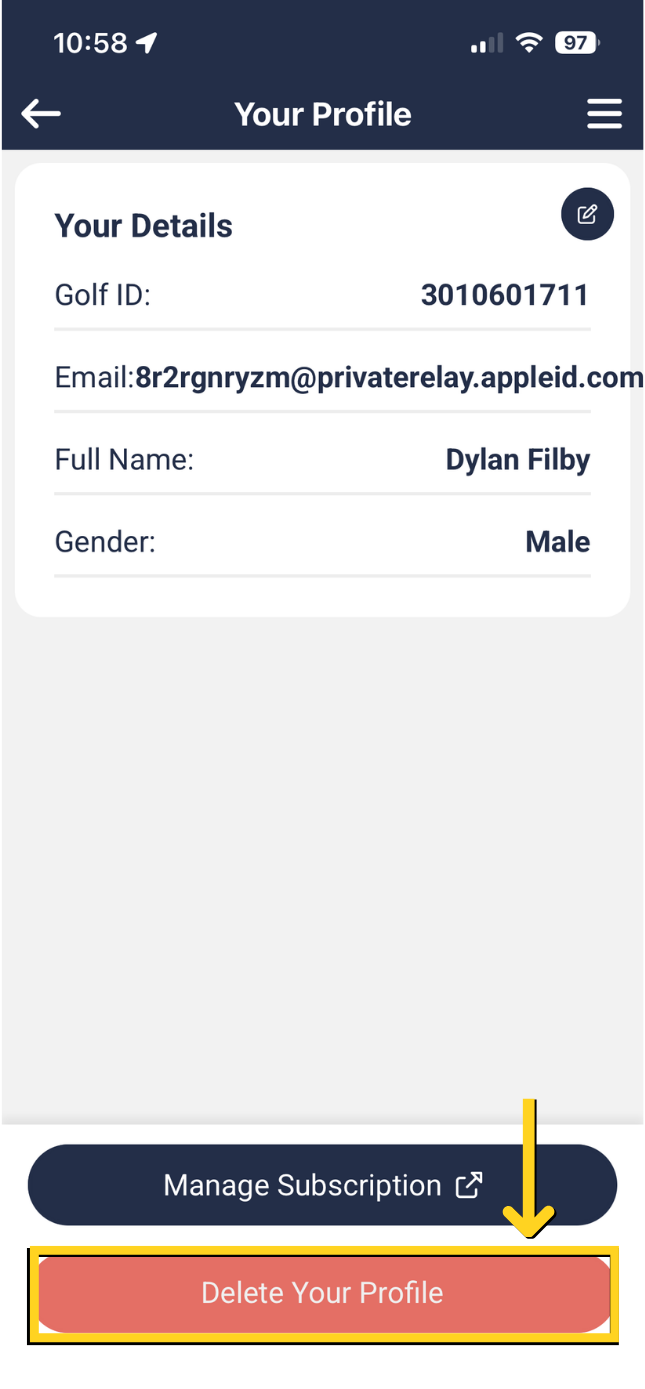
If you purchased or accepted the trial service then you need to ensure you cancel the subscription - click the link to Appstore subscription service as shown below. Find the MiScore app listing and proceed to cancel the yearly subscription.
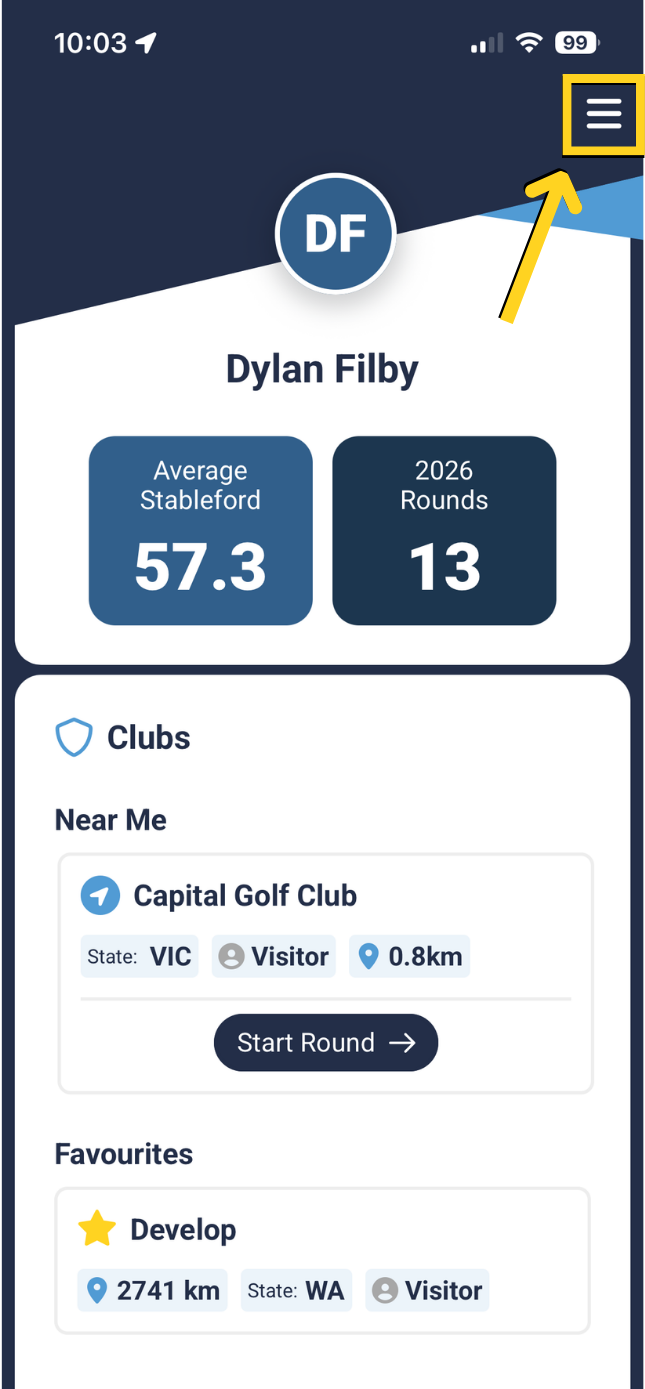 | 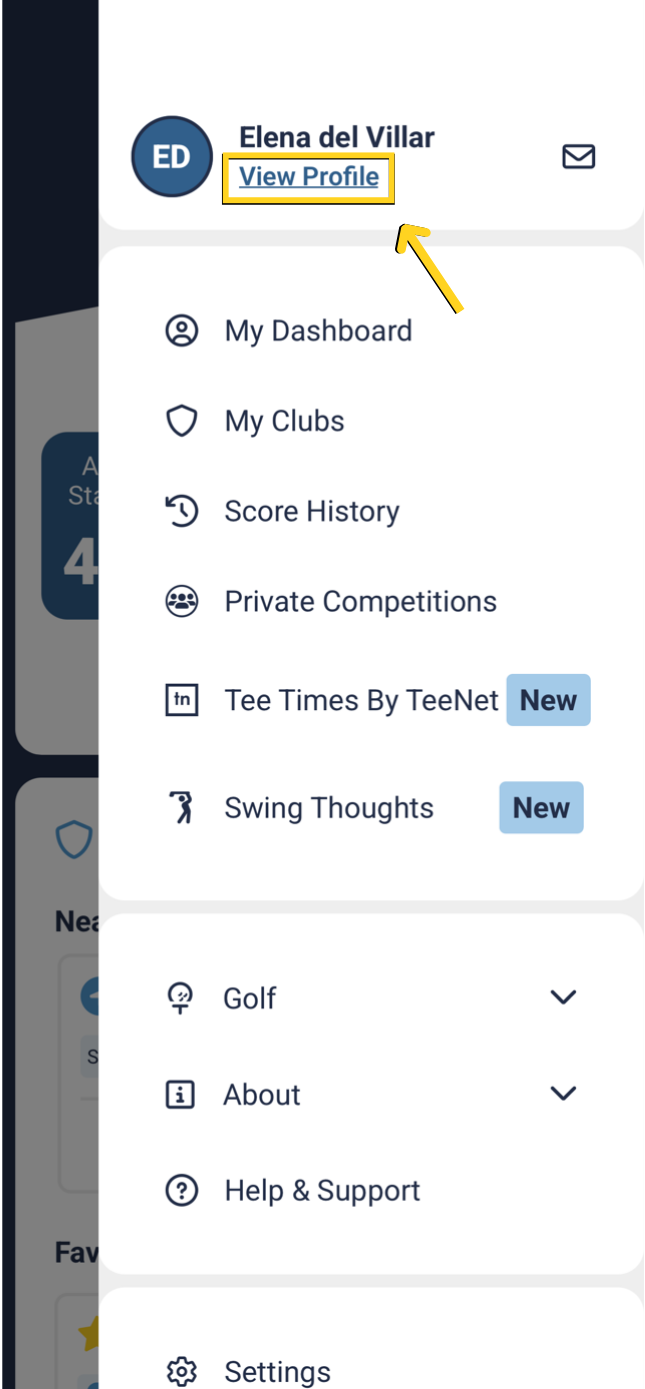 |
Select 'Delete Your Profile'
Press the red 'Continue' button
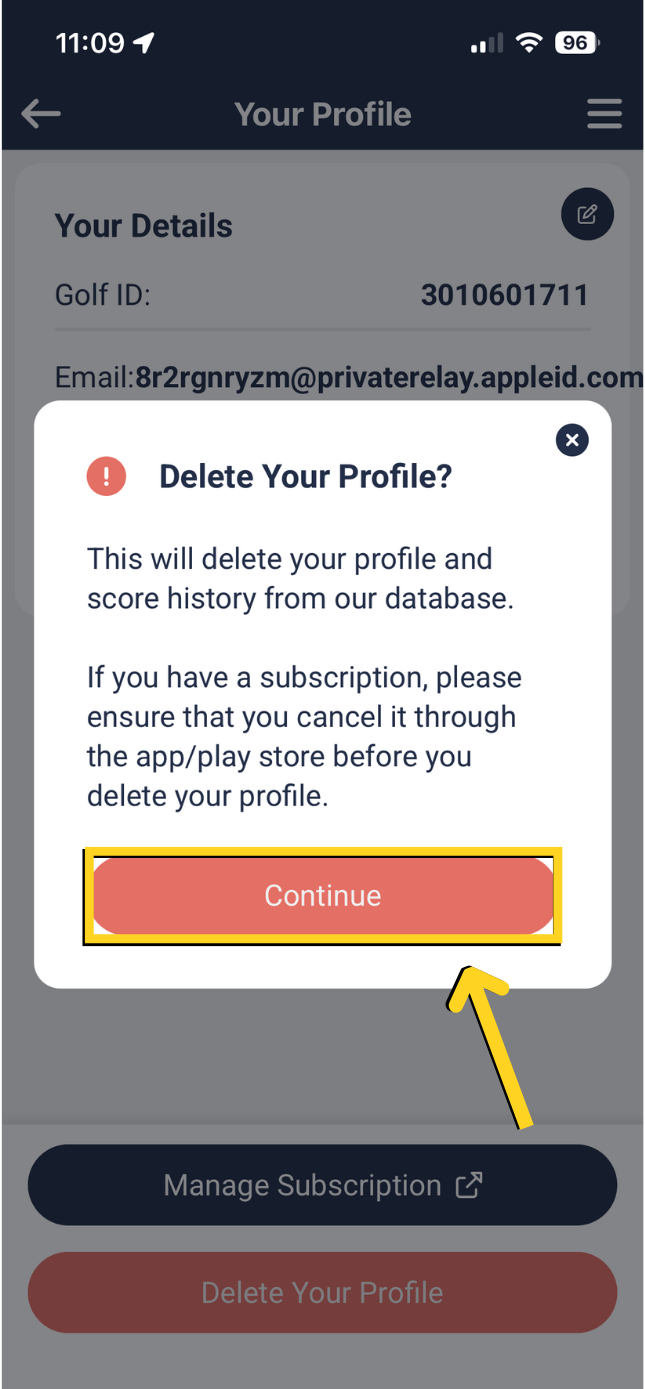
If you wish to return to MiScore you will need to create a new profile from scratch.
If you want to request to delete your data please request this my emailing support@miclub.com.au or calling the help desk on 08 9444 5300
Terms and Condition article referring to data removal can be read here> https://www.miclub.com.au/cms/miscore-app-terms-and-conditions/
Was this article helpful?
That’s Great!
Thank you for your feedback
Sorry! We couldn't be helpful
Thank you for your feedback
Feedback sent
We appreciate your effort and will try to fix the article