This article shows how to check the renewal date of your MiScore Subscription and the option of cancellation
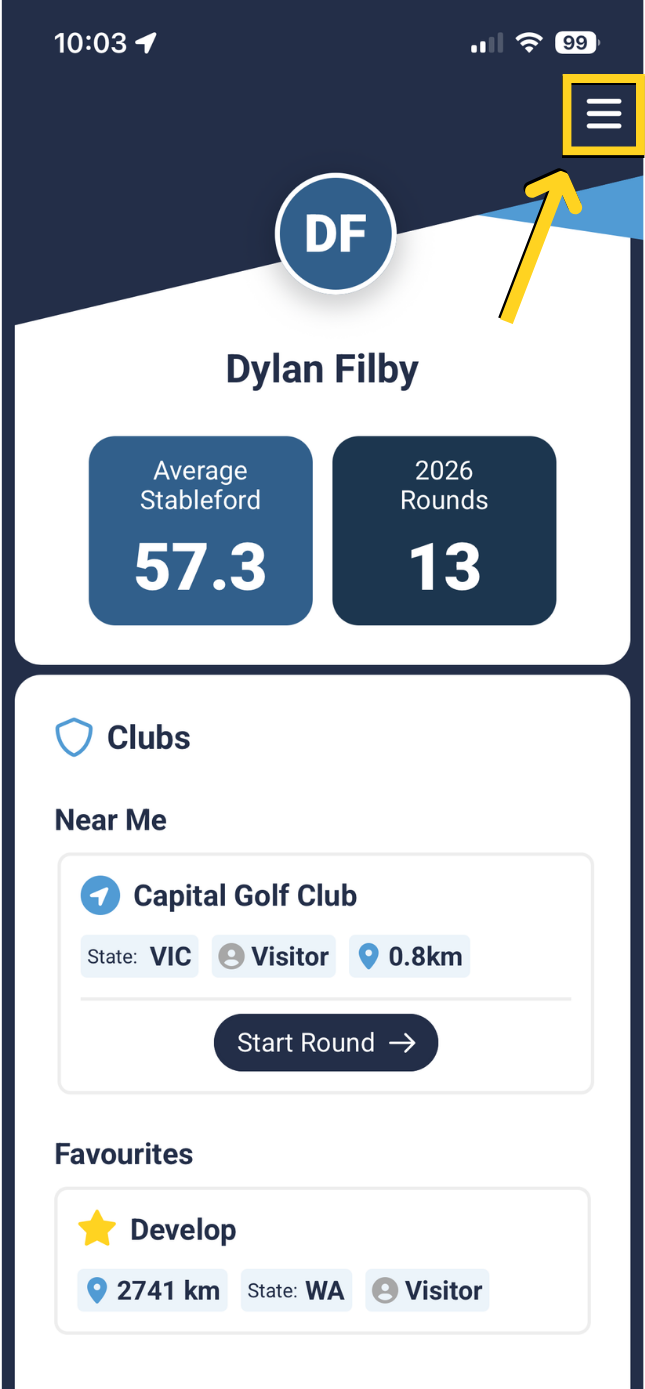
To check the renewal date of your MiScore Subscription
Press the three lines at the top right
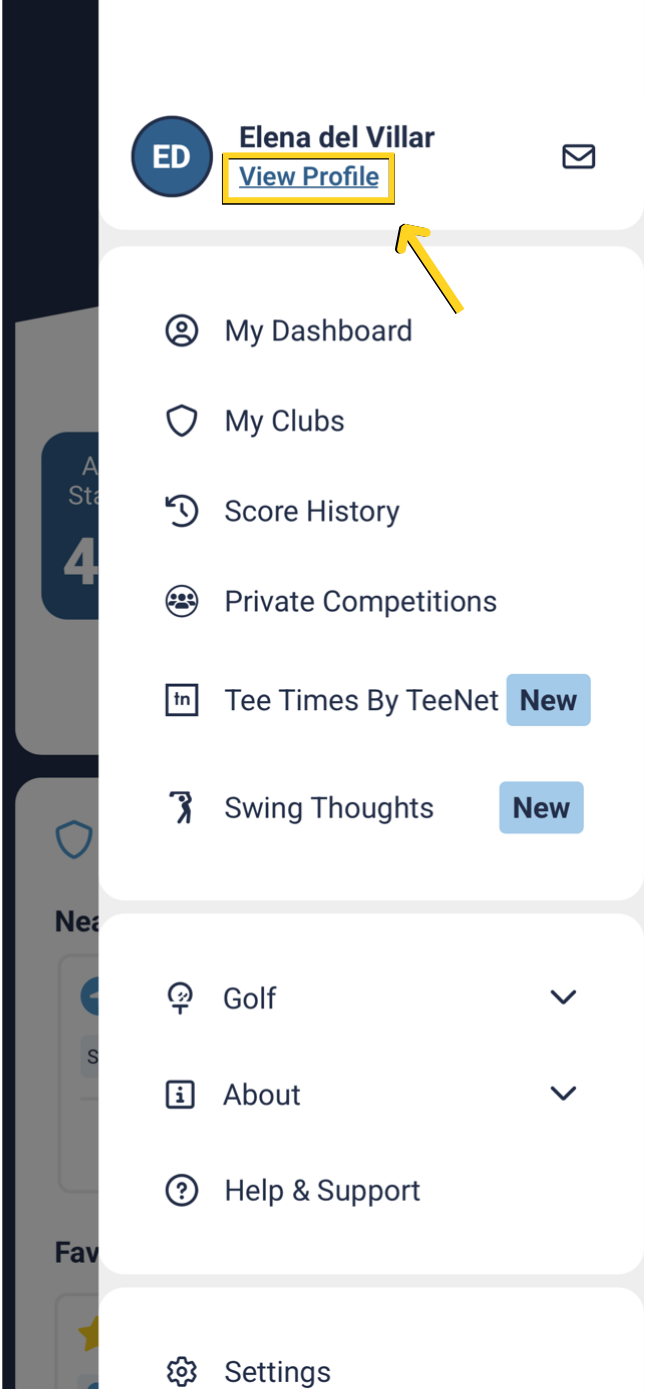
Select 'View Profile'
This will open your Subscription on the App/Google Play Store and you can view the Renewal period and current cost of MiScore.
Click 'Cancel Subscription' to end your MiScore User Subscription.
To see more details on cancellations or refunds, click here to see a detailed FAQ:
 |  |
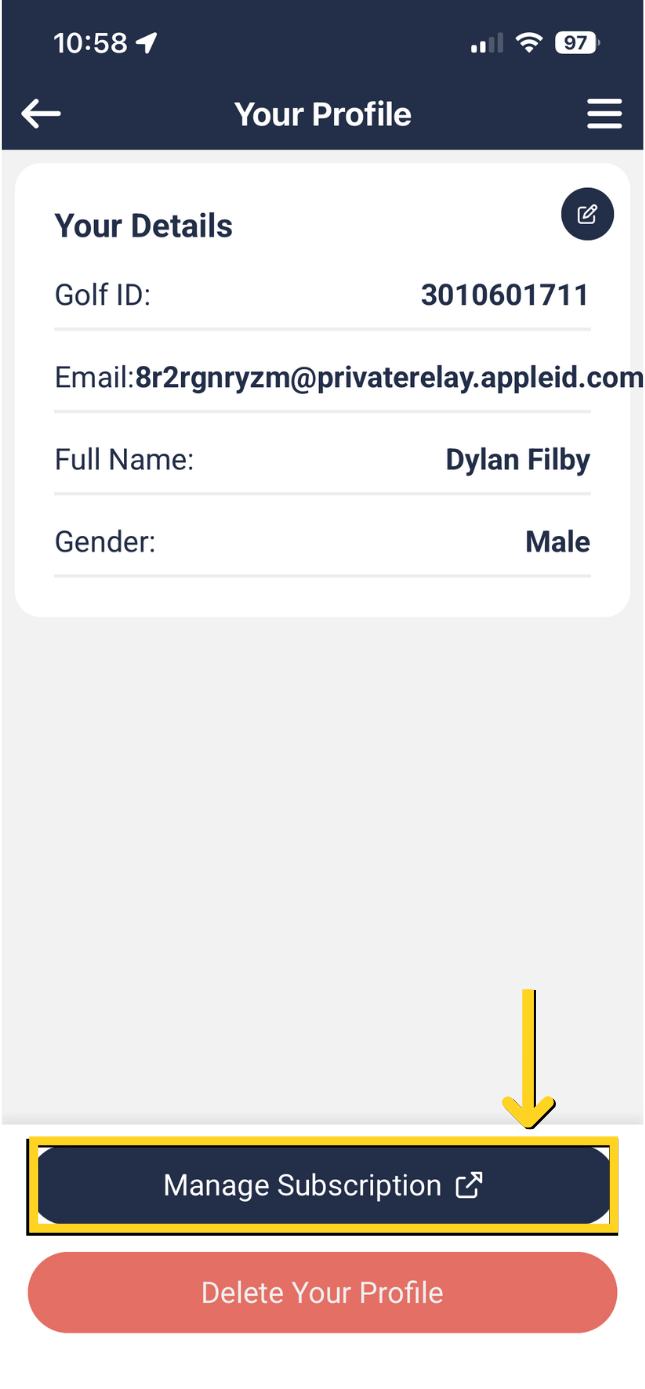
Select 'Manage Subscription'
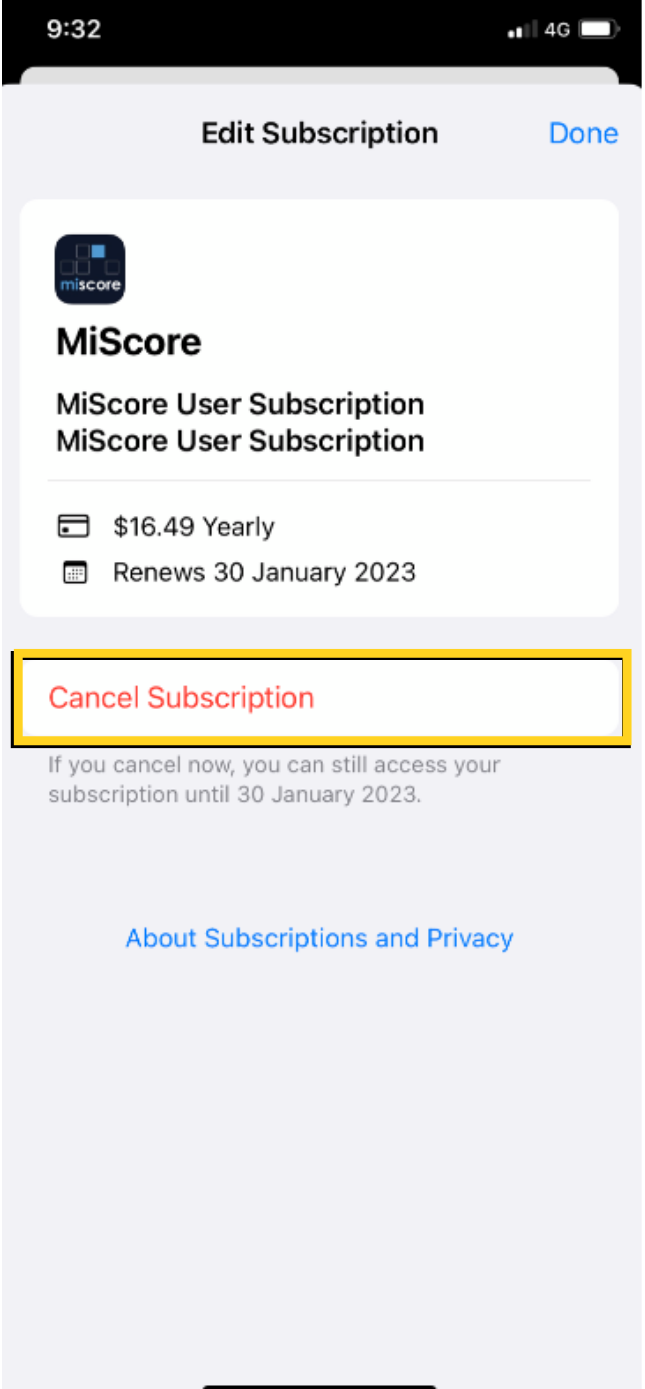
This will open your Subscription on the App/Google Play Store and you can view the Renewal period and current cost of MiScore.
Click 'Cancel Subscription' to end your MiScore User Subscription.
To see more details on cancellations or refunds, click here to see a detailed FAQ:
 |  |
Additional information for Android users regarding their subscription is available from the Google Play Store.

Was this article helpful?
That’s Great!
Thank you for your feedback
Sorry! We couldn't be helpful
Thank you for your feedback
Feedback sent
We appreciate your effort and will try to fix the article