Know the hole before you hit.
Completely new and improved map module, graphics and accurate interactive distances calculation, easily accessible while scoring.
View hole maps and key distances directly in the app to support smarter club selection and better decision-making.
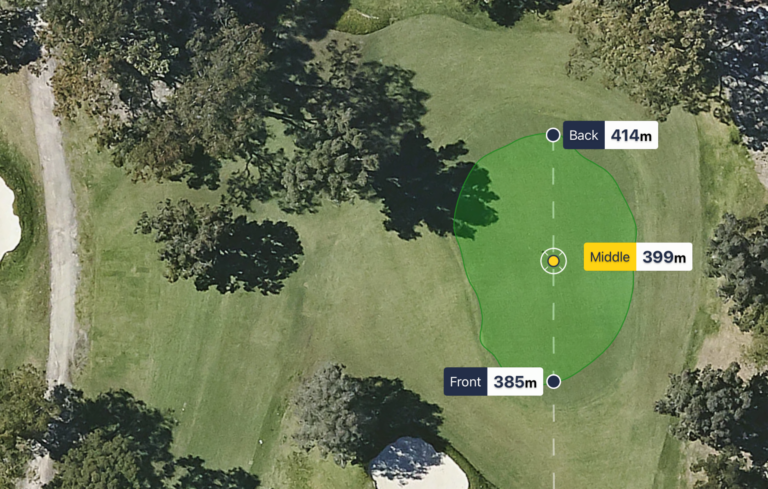
Front | Middle | Back Distances
This new feature enables clubs to display the GPS distance to the front, middle (default) and back of any green in the MiScore App distance interface.
Front, Middle, Back (FMB) distance views are visible when clicking on the GPS distance option in the top right of the MiScore scoring screen.
Distances are Geofenced in the MiClub software to measure to front and back edge of the green respectively and reference the current default middle of the green distance setting.
Once setup, users will need to ensure geolocation is enabled on their device in the app settings.
If not already available via your MiScore App GPS interface, clubs can request activation of the Front | Middle | Back distance feature by contacting MiClub support: support@miclub.com.au
Was this article helpful?
That’s Great!
Thank you for your feedback
Sorry! We couldn't be helpful
Thank you for your feedback
Feedback sent
We appreciate your effort and will try to fix the article